
Integrating your billing system with a domain reseller API allows automated domain registration, renewals, transfers, availability checks, and DNS management.
At PrymHosting, we support seamless integration with popular billing platforms such as WHMCS, Blesta, and custom-built systems using our modules and API connections.
Requirements
Before you begin, ensure you have:
-
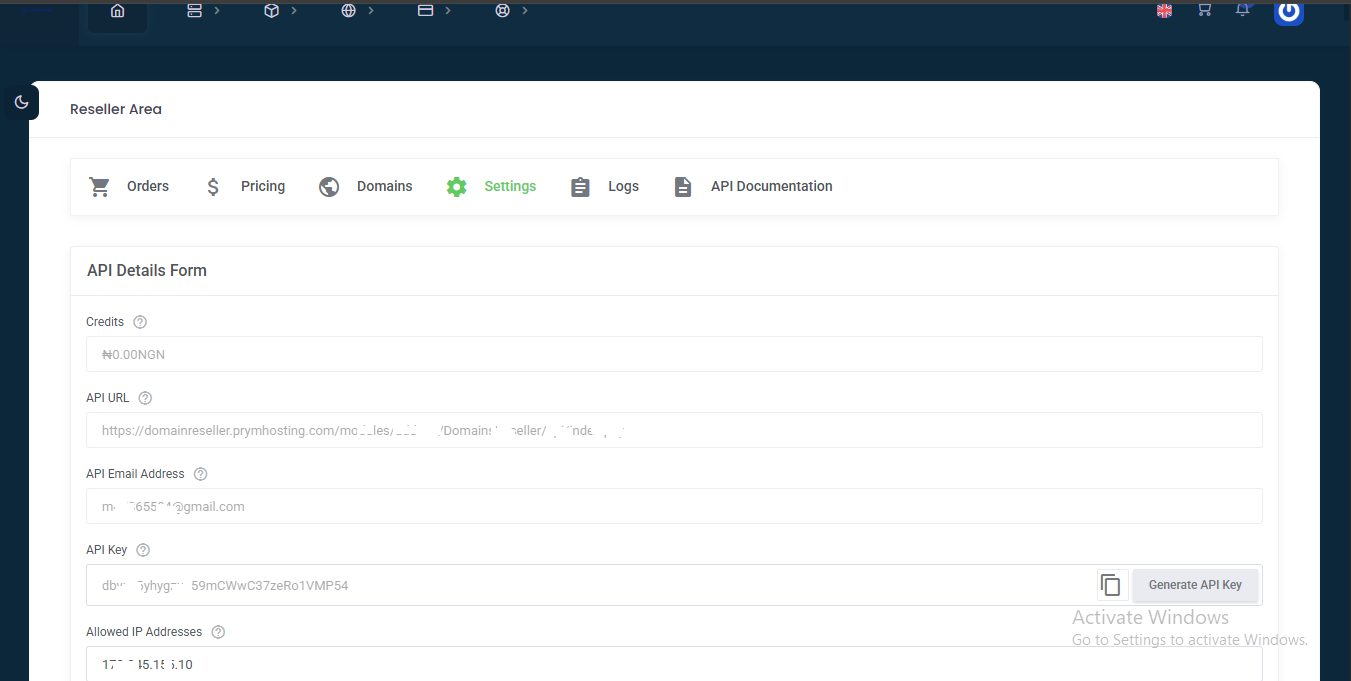
API access from your domain reseller provider
-
API Key / Token
-
API Endpoint (URL)
-
Whitelisted server IP (if required by provider)
-
-
A compatible billing system
-
WHMCS, Blesta, or custom platform
-
-
Access permission to upload or edit registrar modules
Integration Methods
1. Pre-built Registrar Module (Recommended)
Many domain providers offer ready-made modules for platforms like WHMCS.
Steps:
-
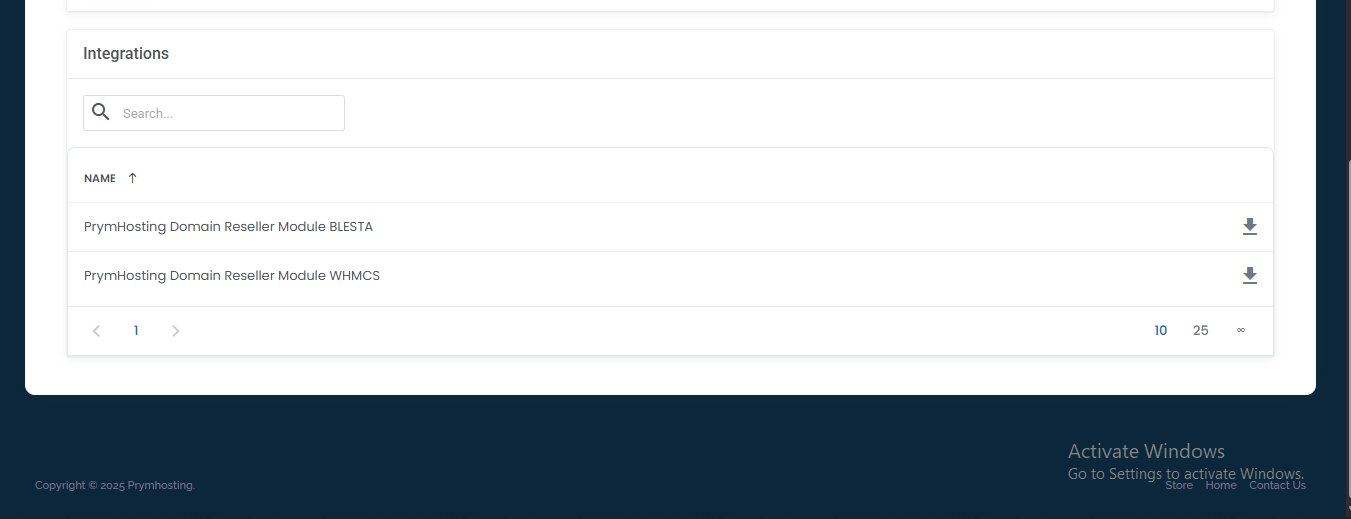
Download the module from your reseller portal
-
Upload the module to your billing system:
-
WHMCS →
/modules/registrars/ -
Blesta →
/components/modules/
-
-
Activate the module in your admin panel

-
Enter API credentials (API Key, Secret, Username, etc.)

-
Save and test the connection using the domain lookup tool
2. Custom API Integration (If a module is not available)
If your domain reseller does not provide a module, you can manually connect using their API.
Can include functions such as:
-
CheckDomainAvailability -
RegisterDomain -
TransferDomain -
RenewDomain -
GetDNSRecords -
UpdateNameservers -
GetDomainStatus
General connection process:
-
Read the provider API documentation
-
Call the API using HTTP requests (GET/POST/SOAP/JSON)
-
Authenticate using your API key or credentials
-
Build functions to trigger actions from your billing system
-
Store responses (success or error logs) in your database
-
Connect actions to user orders, renewals, and domain management UI
Example API request structure (may vary by provider):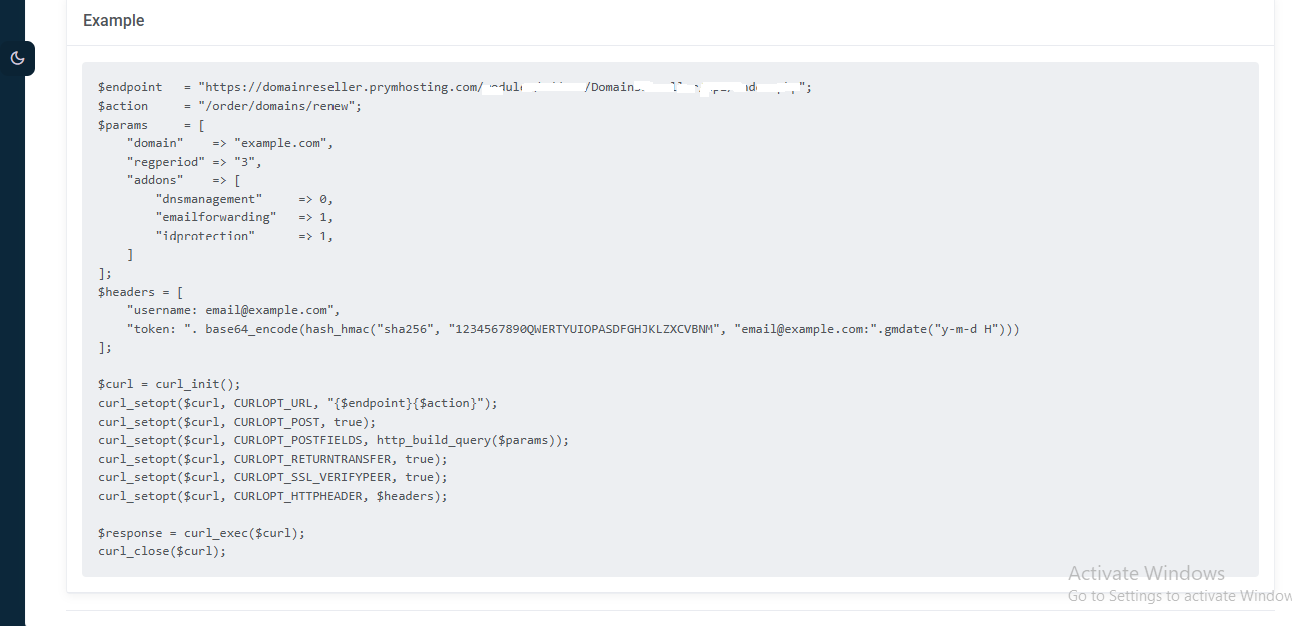
Security Recommendations from PrymHosting
✔ Whitelist your hosting server IP in your provider dashboard
✔ Always use HTTPS when sending API requests
✔ Store API tokens securely (never expose in frontend code)
✔ Log API responses for debugging and automation tracking
Need Help?
The PrymHosting team is always ready to assist. If you experience integration errors, please provide:
-
Your server IP
-
API request logs
-
Error message returned
-
Billing system name and version
Support: [email protected]
